
Windows 10 Support Has Ended
What Idaho Computer Users Need to Know Now that Windows 10 Support Has Ended
For years, Windows 10 has been one of the most widely used operating systems in homes and businesses throughout Idaho. Millions of people have relied on it every day for work, banking, shopping, email, school, and entertainment. However, a major change arrived in October 2025: Microsoft has officially ended support for Windows 10.
If you are still using a Windows 10 computer, you may be wondering what that means for your security, software, and whether you need to buy a new computer immediately. The good news is that your computer will not suddenly stop working. However, there are important reasons to start planning your next steps now rather than later.
At 208Geek, we have already begun helping many Treasure Valley residents evaluate their options, upgrade eligible systems, and replace computers that no longer meet current requirements.
What Does "End of Windows 10 Support" Actually Mean?

When Microsoft ends support for an operating system, it stops providing regular security updates, bug fixes, and technical support. Your Windows 10 computer will still turn on. You will still be able to access your files, browse the internet, and run most of your programs. However, over time, the lack of security updates creates increasing risks.
Cybercriminals constantly search for newly discovered vulnerabilities in operating systems. When Microsoft actively supports a product, those vulnerabilities are typically patched through regular updates. Once support ends, newly discovered weaknesses may remain unpatched, making older systems more attractive targets.
That is why end-of-support announcements are primarily about security rather than functionality.

Is It Dangerous to Keep Using Windows 10?
The answer depends on how you use your computer. For example, someone who only uses a disconnected computer for basic tasks may face relatively little risk. On the other hand, most people today use their computers for activities that involve sensitive information, including:
Online banking
Credit card purchases
Email
Social media
Tax preparation
Healthcare portals
Business operations
Cloud storage
Because these activities involve personal and financial information, security updates play an important role in protecting your data. While antivirus software remains valuable, antivirus alone cannot replace operating system security patches. Both layers work together to help keep your computer protected.
Can My Computer Be Upgraded to Windows 11?

In some cases, yes. Many computers purchased within the past several years can be upgraded to Windows 11 if they meet Microsoft's hardware requirements. Unfortunately, many older computers do not qualify even though they may still seem to function perfectly.
The most common upgrade limitations include:
Unsupported processors
Missing TPM 2.0 security hardware
Legacy BIOS configurations
Insufficient system resources
This situation can be frustrating because the computer may appear to be working just fine. Nevertheless, Microsoft established these requirements to improve security and performance standards moving forward.
At 208Geek, we frequently evaluate computers to determine whether an upgrade is possible before recommending replacement.
Why Won't Microsoft Allow Every Computer to Upgrade?

Many customers ask this question. The answer largely comes down to security and long-term performance.
Windows 11 was designed around newer security technologies that help defend against modern cyber threats. Rather than supporting older hardware indefinitely, Microsoft chose to establish a baseline of security features that every Windows 11 computer must meet. As a result, many systems manufactured before those standards became common simply do not qualify. Although this decision has generated criticism from some users, Microsoft believes the newer requirements create a safer computing environment overall.

What Happens If I Ignore the Deadline?
Nothing dramatic happens overnight. Your computer will continue operating the next day, the next week, and likely for quite some time afterward. However, the risks gradually increase as months and years pass.
Over time, you may begin experiencing issues such as:
Increased security vulnerabilities
Software compatibility problems
Browser support limitations
Reduced compatibility with new hardware
Lack of technical support from vendors
Many software developers eventually stop supporting older operating systems as well. Consequently, applications that work today may stop receiving updates in the future. Planning ahead generally produces better results than waiting until a critical program suddenly stops working.
Should I Upgrade or Replace My Computer?

That depends on the age and condition of the system. If your computer qualifies for Windows 11 and performs well otherwise, upgrading often makes excellent financial sense.
However, replacement may be the better option when:
The computer is already several years old
Performance is slow
Storage space is limited
Hardware problems are developing
The upgrade requirements are not met
In many cases, investing money into an aging computer simply delays an inevitable replacement. A professional evaluation can help determine which path provides the best value.
How Old Is Too Old?

There is no universal answer, but age matters.
Generally speaking, computers that are seven to ten years old often struggle to keep pace with modern software requirements. Even when they still operate, older systems frequently have slower processors, less memory, aging hard drives, and outdated security features.
Meanwhile, newer computers often deliver:
Faster startup times
Better reliability
Improved security
Longer battery life
Greater compatibility with modern applications
Many customers are surprised by how much faster and more enjoyable computing becomes after moving from an aging system to newer hardware.

What About Small Businesses?
The end of Windows 10 support creates additional concerns for business owners. Businesses frequently store sensitive information such as:
Customer records
Financial data
Employee information
Contracts
Proprietary documents
Consequently, operating unsupported systems can create both security and compliance concerns. Thus, business owners should inventory their computers now and identify which systems qualify for upgrades and which ones require replacement. Taking a proactive approach typically reduces downtime and prevents last-minute emergencies. And we can help!
How Can 208Geek Help?
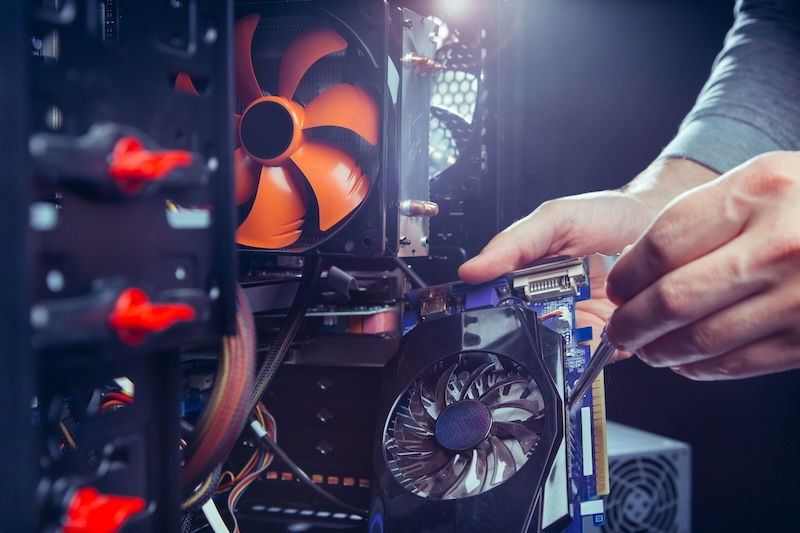
Navigating operating system transitions can feel overwhelming, especially when online information seems contradictory.Fortunately, determining your options does not have to be complicated.
Our technicians can evaluate your current computer, determine Windows 11 eligibility, review performance concerns, recommend cost-effective solutions, and transfer your data if replacement becomes necessary.
Most importantly, we focus on practical recommendations rather than pushing unnecessary purchases. Sometimes an upgrade is the right answer. Other times replacement makes more sense. The goal is finding the solution that best fits your situation and budget.
About 208Geek in Meridian and Moscow, Idaho
208Geek provides computer repair, virus removal, data recovery, networking, Wi-Fi solutions, computer upgrades, custom-built PCs, and technology support for homes and businesses throughout Idaho. Family-owned and operated, 208Geek has been voted Idaho’s Best IT and Computer Repair Company seven consecutive years. With locations serving both Meridian and Moscow, plus onsite service options, the team is committed to providing honest advice, expert repairs, and outstanding customer service. Whether you need help upgrading from Windows 10, securing your network, or troubleshooting a frustrating computer problem, 208Geek is ready to help.


Comments