
VPNs and Internet Security
What Every Business and Home User Should Know About VPNs/Virtual Private Networks

Internet security threats continue evolving every year. Hackers target businesses, families, remote workers, and even casual web browsing sessions. While antivirus software and strong passwords still matter, people often overlook another important layer of protection: a VPN.
At 208Geek, we regularly help customers improve their internet security after malware infections, hacked accounts, phishing attacks, and unsafe network usage. Many clients ask whether VPNs actually help or whether they simply represent another subscription service people do not really need. The truth sits somewhere in the middle. A VPN can dramatically improve security in the right situations, but users still need to understand what it does — and what it does not do.
What Does VPN Mean?

VPN stands for Virtual Private Network. A VPN creates a secure, encrypted connection between your device and the internet. Instead of sending your traffic directly through your internet provider, the VPN routes that traffic through a protected server.
Think of it like placing your internet traffic inside a locked tunnel. Anyone attempting to intercept the traffic along the way sees encrypted data instead of readable information. VPNs originally gained popularity among businesses that needed secure remote access for employees working outside the office. Today, home users, travelers, and small businesses also use VPNs for additional privacy and protection.

Why Public Wi-Fi Creates Security Risks
Public Wi-Fi networks remain one of the biggest reasons people use VPNs. Coffee shops, hotels, airports, convention centers, and even some retail stores offer free wireless internet access. Unfortunately, these networks often lack proper security protections. Cybercriminals sometimes create fake Wi-Fi hotspots specifically designed to capture user information.
Without protection, attackers may intercept:
Login credentials
Email traffic
Financial information
Browser sessions
Business communications
Personal data
A VPN encrypts the traffic before it leaves your device, making interception far more difficult. This becomes especially important for remote workers who regularly access company systems away from the office. One compromised login can create massive problems for an entire organization.
VPNs Help Protect Privacy
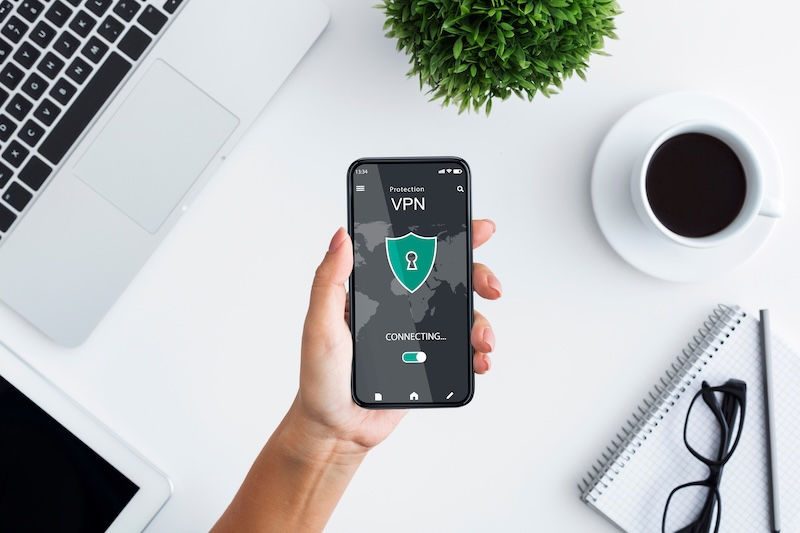
Internet users dislike how much tracking occurs online today. Websites, advertisers, internet providers, and data brokers constantly collect browsing information. A VPN helps reduce some of that visibility by masking your IP address and encrypting your traffic. While it does not make someone invisible online, it adds another layer of privacy between users and outside tracking systems.
This matters more than many people realize. Search history, shopping behavior, geographic location, and browsing habits often become valuable marketing data. A VPN helps reduce unnecessary exposure.

VPNs Can Help Secure Remote Employees
Remote work changed the cybersecurity landscape dramatically. Employees now connect from homes, hotels, airports, and mobile devices instead of controlled office environments. Unfortunately, small businesses often assume hackers only target large corporations. In reality, smaller organizations frequently become easier targets because they lack dedicated IT departments and advanced security systems.
VPNs help businesses:
Protect remote desktop connections
Secure file transfers
Encrypt communications
Reduce exposure on unsecured networks
Create safer remote access environments
At 208Geek, we recommend VPN solutions as part of broader cybersecurity planning for local businesses throughout the Treasure Valley.
A VPN Does NOT Replace Antivirus Software

One of the biggest misconceptions about VPNs involves what they actually protect.
A VPN does not:
Stop viruses
Prevent phishing emails
Remove malware
Replace firewalls
Automatically secure weak passwords
Eliminate ransomware threats
Some VPN advertisements make unrealistic promises. A VPN represents one tool within a larger security strategy.
Users still need:
Updated antivirus software
Strong passwords
Multi-factor authentication
Safe browsing habits
Operating system updates
Reliable backups
Security works best in layers. No single product solves every cybersecurity problem.

Free VPNs Often Create Problems
Many people search for free VPN services hoping to improve privacy without paying monthly fees. Unfortunately, free VPNs often introduce new security concerns.
Some free VPN providers:
Log browsing activity
Sell user data
Display invasive ads
Offer weak encryption
Operate from questionable jurisdictions
Slow internet speeds dramatically
In some cases, free VPN apps actually contain malware. When customers ask us about VPNs, we usually recommend reputable paid providers with strong privacy policies and established security reputations. A trustworthy VPN costs far less than recovering from identity theft or a compromised business network.
VPN Performance Has Improved DramaticallyY
ears ago, VPNs often slowed internet connections significantly. Modern VPN services now operate much more efficiently. Many users barely notice performance differences during everyday activities such as:
Web browsing
Email
Streaming
Online banking
Remote work
Video conferencing
Performance still depends on server location, internet speed, and VPN quality, but the technology has improved substantially over the last decade.
Businesses Need Proper VPN Setup
Many business owners attempt to configure security tools themselves without fully understanding the risks involved. Improper VPN setup can create:
Network vulnerabilities
Access problems
Slow performance
Employee frustration
Compatibility issues
Business cybersecurity should never rely on guesswork. At 208Geek, we help businesses evaluate whether VPN deployment makes sense for their specific environment. Some organizations need full-site VPN solutions. Others only need secure remote access for a few employees. The right answer depends on workflow, device management, and security priorities.

Should You Use a VPN?
For many users, the answer is yes — especially if you:
Travel frequently
Use public Wi-Fi
Work remotely
Handle sensitive information
Access business systems outside the office
Value online privacy
However, a VPN should support a larger cybersecurity strategy rather than replace one.
Cybersecurity continues changing rapidly. Attackers constantly search for new weaknesses, while businesses and consumers try to stay ahead of evolving threats. Taking proactive steps today often prevents major headaches tomorrow.
About 208Geek in Meridian, Idaho
Owner/Operator Jacob Van Vliet began building and repairing computer systems for friends and family out of his home in 2001. The increasing demand for computer repair led to the opening of 208Geek in the Fall of 2005, with the vision of providing outstanding service and peace of mind. Jacob, along with his team, including his wife, Brittany, is committed to delivering unparalleled, friendly, and professional service with a 100% satisfaction guarantee. The 208Geek team has been named “Idaho’s Best” for IT and computer repair for the past seven consecutive years. We would love the opportunity to work with you so we can show you why!


Comments