
DIY Computer Repair Fails
- gotobowl82
- Apr 27
- 5 min read

The Biggest Mistakes People Make When Trying to Fix Their Own Computer
Search online for computer repair advice and you’ll find thousands of videos promising quick fixes, miracle upgrades, and “anyone can do it” solutions. At first glance, it all looks straightforward. A screwdriver here, a quick download there, and suddenly your slow or broken machine should be back to normal. However, what those videos don’t show is what happens when DIY computer repair work goes sideways—and more often than not, they do.
At 208Geek, we see the aftermath of do-it-yourself computer repair every single day. While the intention makes sense—save money, fix it fast, avoid a trip to the shop—the reality often leads to more expensive problems, longer downtime, and sometimes permanent data loss. Let’s walk through the biggest mistakes people make when trying to fix their own computers so you can avoid turning a small issue into a major one.
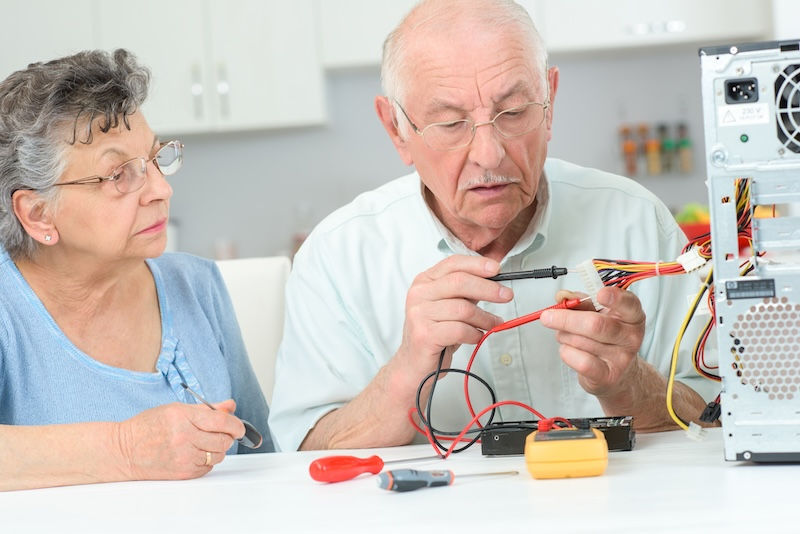
Following YouTube Tutorials for DIY Computer Repairs Without Context
YouTube has become the go-to “tech support” for millions of people. But here’s the problem: those videos rarely apply to your exact situation. Even when two computers look identical on the outside, the internal components, firmware versions, and operating system configurations can differ dramatically. As a result, a fix that works perfectly for the person in the video may cause unintended consequences on your machine.
For example, many tutorials recommend quick registry edits, BIOS tweaks, or driver replacements as universal solutions. While those might resolve one specific issue, they can also create instability elsewhere if applied blindly. In other words, without proper diagnostics, you’re not fixing the root problem—you’re guessing. And guessing in IT almost always leads to more complications.
Installing the Wrong Parts

Upgrading hardware feels like a straightforward win. Add more RAM, swap in a new hard drive, maybe replace a power supply—what could go wrong? Quite a bit, actually.
Modern computers require very specific components. Not all RAM is compatible with all motherboards. Not all solid-state drives perform well with every system. Even something as simple as a power supply swap can introduce voltage inconsistencies that damage other components over time. Unfortunately, many DIY repairs skip over compatibility checks entirely, relying instead on general recommendations found online.
We frequently see systems come into the shop with mismatched or improperly installed parts. Sometimes the computer won’t boot at all. Other times, it runs—but with random crashes, overheating, or reduced performance. In these cases, what seemed like a simple upgrade ends up requiring a full diagnostic and correction, which costs more than doing it right the first time.

Underestimating Data Loss Risks
This is where DIY repair becomes genuinely risky. When people attempt to fix a failing hard drive, reinstall an operating system, or “clean up” their system, they often assume their data will still be there when they’re done. Unfortunately, that assumption can lead to irreversible loss.
Hard drives don’t usually fail all at once—they degrade over time. That means every additional attempt to access or repair the drive increases the chance of losing data permanently. Likewise, reinstalling Windows without a proper backup plan can overwrite important files in seconds.
We’ve had countless customers bring in machines after trying to fix things themselves, only to realize their family photos, business documents, or years of records are gone. At that point, recovery becomes more complex, more expensive, and sometimes impossible. The truth is simple: if your data matters, the first step should always be protecting it—not experimenting with fixes.
Overlooking the Real Problem

One of the most common mistakes we see involves treating symptoms instead of identifying the actual cause. A slow computer, for example, might lead someone to replace the hard drive or install more memory. However, the real issue could be malware, background processes, or even a failing motherboard.
Without proper diagnostic tools and experience, it’s easy to misinterpret what your computer is trying to tell you. That leads to unnecessary repairs that don’t solve the problem—and sometimes make it worse. A machine that originally needed a simple cleanup can quickly turn into a complicated hardware issue after repeated DIY attempts.
Professional diagnostics remove that guesswork. Instead of chasing symptoms, we isolate the root cause and address it directly. That approach saves time, money, and frustration.
Using the Wrong Tools—or No Tools at All

Another issue that doesn’t get enough attention involves the tools themselves. Computer repair isn’t just about knowing what to do—it’s about having the right equipment to do it safely.
Static electricity, for instance, can silently destroy sensitive components. Without proper grounding, a simple touch can damage a motherboard or RAM stick. Likewise, using the wrong screwdriver can strip screws or damage internal connectors, making future repairs more difficult.
Additionally, software tools matter just as much as physical ones. Running unreliable “free fix” programs can introduce malware or create conflicts within your system. What looks like a helpful utility can actually compound the problem, leaving your computer in worse shape than before.
Turning a Small Issue Into a Big One

Perhaps the biggest mistake of all involves timing. Many people attempt DIY repairs because the problem seems minor—a slow startup, a strange noise, or an occasional crash. However, those early warning signs often indicate underlying issues that require attention sooner rather than later.
Instead of addressing the problem early, DIY attempts can accelerate the damage. A failing hard drive pushed too hard can completely crash. An overheating system that isn’t properly cleaned or diagnosed can lead to component failure. What could have been a quick, affordable fix turns into a major repair or even a full replacement.
Why Professional Help Still Matters

There’s nothing wrong with wanting to understand your computer better. In fact, learning how your system works can help you make smarter decisions in the future. However, there’s a difference between basic maintenance and complex repair work.
At 208Geek, we take a straightforward approach: diagnose first, fix second. That means no guessing, no unnecessary parts, and no surprises. We focus on identifying the real issue, protecting your data, and getting your system back to peak performance as quickly as possible.
We also structure our services differently than many other providers. Instead of locking customers into monthly contracts, we offer prepaid Maintenance Support Agreements. You only pay for what you use, and when you need help, you move to the front of the line. It’s simple, transparent, and built around how people actually use tech support.
When to Put the Screwdriver Down

If your computer is running slow, crashing, or showing signs of hardware failure, it’s worth asking a simple question: is this something you can confidently fix—or something you could accidentally make worse?
DIY repairs often start with good intentions but end with avoidable problems. Whether it’s installing the wrong part, following the wrong advice, or risking your data, the cost of getting it wrong usually outweighs the savings.
If you’re dealing with a computer issue right now, bring it into 208Geek. Our in-shop diagnostics provide clear answers, flat-rate pricing, and no guesswork. We’ll tell you exactly what’s going on, what it takes to fix it, and how to prevent it from happening again. Simple, honest pricing. No surprises. No monthly fees.

About 208Geek in Meridian, Idaho
Owner/Operator Jacob Van Vliet began building and repairing computer systems for friends and family out of his home in 2001. The increasing demand for computer repair led to the opening of 208Geek in the Fall of 2005, with the vision of providing outstanding service and peace of mind. Jacob, along with his team, including his wife, Brittany, is committed to delivering unparalleled, friendly, and professional service with a 100% satisfaction guarantee. The 208Geek team has been named Idaho’s Best for IT and computer repair for the past six consecutive years. We would love the opportunity to work with you so we can show you why!


Comments