
Scare Ware: Random Pop-Ups and Fake Virus Warnings
- gotobowl82
- Apr 20
- 5 min read

Why Scare Ware is More Dangerous Than Real Viruses
Most people assume that traditional computer viruses pose the biggest threat to their devices. In reality, we see something far more damaging every single day—fake virus warnings, aggressive pop-ups, and scare ware designed to trick users into handing over control of their computers.
At 208Geek, we’ve spent years helping customers recover from these attacks, and the trend continues to grow. In fact, as cybercriminals evolve, they rely less on complex coding and more on manipulating human behavior. That’s where the real danger lies.
Before diving in, we want to share something we’re proud of. We’ve been named Idaho’s Best for computer repair for the 7th year in a row. That recognition reflects the trust our community places in us—and a big part of that trust comes from helping people avoid scams like the ones we’re about to break down.
What Are Fake Virus Warnings?

Fake virus warnings—often referred to as scare ware—are designed to create panic. You’ve probably seen them:
A flashing red screen claiming your computer is infected
Loud alarms or voice warnings telling you not to shut down
Messages pretending to come from Microsoft or Apple
A phone number urging you to call “support” immediately
These messages look urgent and official, but they’re completely fake. They don’t detect real threats—they exist solely to scare you into acting. And that action usually benefits the scammer.
Why Scare Ware Works So Well

Scare Ware succeeds because it targets emotion instead of logic. When people see a message claiming their personal data is compromised, their first instinct is to react quickly. That urgency overrides caution. Instead of questioning the message, many users follow instructions without thinking through the consequences. We see this play out in our shop all the time. Customers come in worried about a “virus,” but the real issue isn’t malware—it’s that someone convinced them to trust the wrong source.
The Role of Social Engineering

This is where social engineering comes into play. Social engineering refers to tactics that manipulate people into giving up sensitive information or access. Instead of hacking a system, scammers “hack” the person using it.
Fake virus warnings often lead to one of these scenarios:
You call the number on the screen
A “technician” answers and confirms your system is infected
They ask for remote access to “fix” the issue
They install software, steal data, or charge you unnecessary fees
At that point, the scam shifts from annoyance to serious risk.
We’ve seen cases where scammers:
Installed backdoor access to monitor activity
Captured banking credentials
Locked systems and demanded payment
Charged hundreds—or even thousands—for fake repairs
This isn’t a virus doing damage automatically. This is someone actively working against you.

Why These Scams Can Be Worse Than Real Viruses
Traditional viruses operate within certain limits. They may slow down your computer, corrupt files, or spread across systems—but they don’t think, adapt, or interact with you directly. Scammers do. That’s what makes scareware and remote access scams more dangerous.
Here’s why:
1. Human Interaction Changes Everything
A real virus follows a script. A scammer responds in real time. If you hesitate, they push harder. If you question them, they create new lies. That adaptability makes the attack far more effective.
2. They Bypass Security Software
Antivirus programs can detect known threats. They can’t stop you from voluntarily giving someone access to your system. Once you click, call, or download what they ask for, you’ve opened the door.
3. Financial Damage Happens Faster
Viruses might cause long-term issues. Scammers go straight for immediate payoff. They want your credit card, your login credentials, or your remote access—right now.
4. The Damage Extends Beyond Your ComputerWhen scammers gain access, they don’t stop at your device. They look for:
Email accounts
Banking information
Saved passwords
Business files
That turns a single mistake into a much larger problem.
Remote Access Scams: The Turning Point
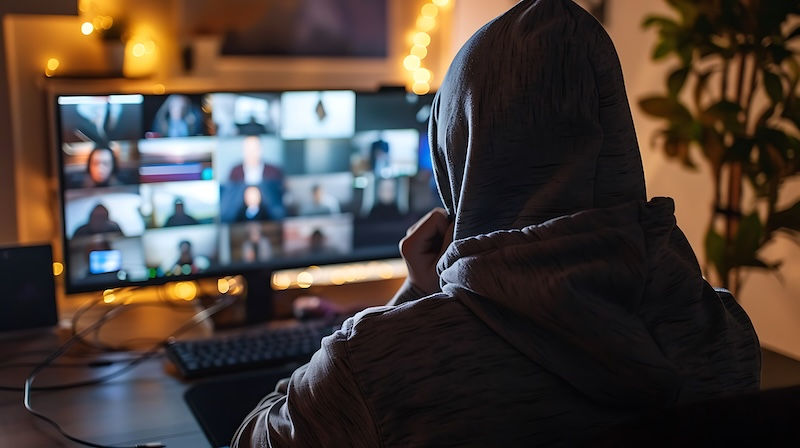
The most dangerous moment in these situations comes when someone installs remote access software. Once that happens, the scammer effectively sits behind your keyboard. They can:
Move files
Install programs
Disable security settings
Watch everything you do
We’ve worked on systems where scammers stayed connected even after the initial “support session” ended. Without professional cleanup, that access can remain hidden. This is why we always stress: never allow remote access to anyone you don’t know and trust.
How to Recognize Fake Virus Warnings

The good news? These scams follow patterns. Once you know what to look for, they become much easier to spot. Watch for:
Messages that demand immediate action
Claims that your system is “locked” or “infected” without explanation
Phone numbers displayed in pop-ups
Poor grammar or overly aggressive language
Requests for payment to fix a problem
Legitimate companies don’t operate this way. Microsoft, Apple, and antivirus providers don’t display emergency phone numbers in pop-ups or demand instant payment.
What To Do If You See One
If a fake warning appears on your screen, take these steps:
Do not click anything in the pop-up
Do not call the number listed
Close your browser (or force quit if needed)
Restart your computer
If the issue continues or you’re unsure what happened, bring your computer into the shop. We can take a look and make sure everything is clean and secure.

Why We Encourage In-Shop Visits
We do offer on-site and remote support, but when it comes to scam-related issues, bringing your computer into our shop gives us the best chance to fully resolve the problem.
In-shop diagnostics allow us to:
Perform deeper scans
Remove hidden threats
Verify no remote access remains
Check for compromised data
It’s the most reliable way to get your system back to a safe state.
Staying Ahead of the Problem
The biggest takeaway here isn’t just how these scams work—it’s how to avoid them altogether.
Stay cautious when:
A message creates urgency
Someone asks for remote access
You’re told to act immediately without verification
Taking a moment to pause and question what you’re seeing can make all the difference.
Trusted Help When You Need It

Scare ware, social engineering, and remote access scams continue to evolve, but so do we. Every day, we help customers recover from these situations and—more importantly—avoid them in the first place.
If something doesn’t feel right with your computer, don’t take chances. Bring it into 208Geek and let us take a look. We’ll give you honest answers, straightforward solutions, and the peace of mind that your system is truly secure.
About 208Geek in Meridian, Idaho
Owner/Operator Jacob Van Vliet began building and repairing computer systems for friends and family out of his home in 2001. The increasing demand for computer repair led to the opening of 208Geek in the Fall of 2005, with the vision of providing outstanding service and peace of mind. Jacob, along with his team, including his wife, Brittany, is committed to delivering unparalleled, friendly, and professional service with a 100% satisfaction guarantee. The 208Geek team has been named “Idaho’s Best” for IT and computer repair for the past seven consecutive years. We would love the opportunity to work with you so we can show you why!


Comments