
What Techs See First When a PC Is “Acting Weird”
- gotobowl82
- Mar 23
- 6 min read

When someone says, “My computer is acting weird,” they usually mean it feels unpredictable. But behind the scenes, nothing about it is random. Every delay, noise, and error follows a pattern. Experienced technicians look for those patterns immediately because they reveal exactly where the problem starts—and how far it has progressed.
To experienced technicians, issues like these rarely look random at all.
When a customer brings in a computer and says, “It’s just acting weird,” trained techs start looking for patterns right away. Small behavior changes often point to much bigger issues developing underneath the surface. In many cases, a computer gives plenty of warning before it suffers a major failure. The problem? Most people do not know what those warnings look like.
Let’s walk through what computer repair professionals notice first when a PC starts behaving strangely and why those early signs matter.
Boot Timing Tells Us a Lot when your PC is Acting Weird

One of the first things a technician notices involves boot time. A healthy computer should follow a fairly consistent startup pattern. Even older systems usually boot in a predictable way. When that timing suddenly changes, techs pay attention. A slow startup often signals trouble with the hard drive, overloaded startup processes, failing updates, corrupt system files, or hardware communication issues.
We also watch for hesitation during certain parts of the boot sequence. Does the PC pause on a black screen? Does it hang on the manufacturer logo? Does it take too long to load Windows? Does it reach the desktop but remain unusable for several minutes?
Each delay tells its own story.
A long pause before Windows loads can point toward a drive issue or BIOS-level hardware communication problem. A sluggish desktop after login may suggest too many startup applications, malware activity, failing antivirus processes, Windows corruption, or low available resources. That timing pattern helps us narrow the cause quickly.
Strange Noises Often Reveal Hardware Trouble

Customers often mention that their computer “sounds funny,” and that detail matters more than many people realize. We listen closely to changes in sound because certain noises strongly suggest specific hardware problems. Clicking, grinding, buzzing, rattling, or repeated fan surges can all point us in a direction before we open the case.
For example, a traditional hard drive that starts clicking may sit on borrowed time. A fan that ramps up constantly may signal dust buildup, heat issues, or a failing cooling system. A rattling noise can come from a loose fan, worn bearing, or cable touching a moving part. Electrical buzzing may suggest power supply trouble.
Experienced techs do not dismiss sound changes as a minor annoyance. Computers usually sound different for a reason. Those changes often provide some of the earliest clues that a part has started failing.
Heat Behavior Exposes Problems Fast

Heat leaves a trail, and technicians know how to spot it. When a PC runs hotter than normal, performance often drops before the user understands why. The system may lag, freeze, shut down unexpectedly, or sound like it is working much harder than it should. Laptops may feel unusually hot on the keyboard deck or bottom panel. Desktops may push hot air constantly even during light tasks.
That matters because excess heat affects everything.
Overheating can come from dust-clogged fans, dried thermal paste, blocked vents, failing coolers, background software overload, malware, or aging hardware that no longer runs efficiently. Heat also accelerates wear. A computer that stays hot for too long can damage components and shorten the lifespan of the machine.
Techs often notice heat patterns almost immediately. A computer that spikes in temperature during startup or while sitting idle raises a very different concern than one that only overheats during gaming or video editing. Those patterns help identify whether the problem comes from software load, airflow restriction, or failing internal parts.

Repeated Error Patterns Matter More Than One Random Glitch
Most people ignore the first error message. Sometimes they ignore the tenth one too. We do not! In fact, we look for repeated behaviors, repeated messages, and repeated failures because consistency usually points toward the true problem. A single crash may not tell us much. Whereas a recurring crash during the same action tells us a lot. If a program fails every time you print, open a browser, plug in a USB device, or wake the PC from sleep, that pattern matters.
The same goes for blue screens, driver errors, update failures, and app crashes. The exact wording may look confusing to a customer, but technicians read those patterns like breadcrumbs. Even when the error message seems vague, the timing and frequency often reveal whether the issue comes from memory failure, storage corruption, driver conflict, Windows damage, malware, or hardware instability.
A “weird” computer usually stops looking weird once those patterns get mapped out.
Fan Behavior and Performance Swings Raise Red Flags

Techs also watch for systems that behave inconsistently under simple workloads. If opening email sends the fans roaring, something is wrong. If the PC runs fine for ten minutes and then slows to a crawl, that matters too. If the machine acts normal in the morning but locks up later in the day, we want to know what changes between those moments.
Performance swings often connect to thermal throttling, failing drives, background tasks, bad updates, memory pressure, or malicious software. In some cases, the computer struggles because several smaller issues pile up at once. A dusty cooling system, limited RAM, an overloaded startup routine, and a nearly full drive can combine into one miserable user experience.
We know how to separate those symptoms and identify which problem started the chain reaction.

Visual Clues Help Confirm the Story
Not every warning sign involves sound or speed. Some show up visually. Screen flickering, display artifacts, random black screens, cursor lag, odd color shifts, and pop-up behavior all give us useful clues. So do notifications that appear briefly and vanish, icons that stop loading, taskbars that freeze, or browser windows that open on their own.
These symptoms may point toward graphics issues, display cable problems, driver conflicts, power instability, failing memory, or malware. Even the way the screen behaves during startup versus after login can help narrow things down.
That is why we ask detailed questions that may seem overly specific. Did the problem start after an update? Does it happen only on battery power? Does it show up before login or after? Does an external monitor behave the same way? Those answers help us connect the dots faster.
Why Early Diagnosis Saves Money

The biggest mistake PC owners make involves waiting too long. A computer rarely jumps from healthy to dead without warning. Most machines show a series of early symptoms first. The problem grows when users ignore those signs, assume they will go away, or keep restarting the computer until it finally refuses to boot.
Early diagnosis can prevent data loss, reduce repair costs, and stop minor issues from turning into major ones. A noisy fan may only need cleaning today. Ignore it long enough, and you may end up replacing heat-damaged components later. A slow boot may point to a failing drive that still allows data recovery now. Wait too long, and that recovery may become harder or impossible.
That is why professional evaluation matters. We do not just fix the symptom in front of them. We look at the overall behavior of the machine so we can identify the real cause.
Do Not Ignore “Weird”
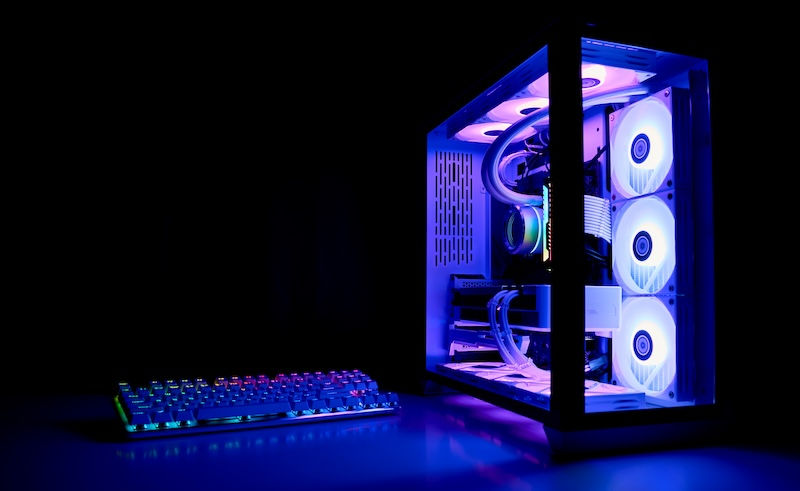
When your PC starts acting weird, trust that instinct. Changes in sound, speed, heat, startup timing, error frequency, and screen behavior usually mean something has shifted inside the system. You may not know exactly what caused it, but an experienced technician can often spot the warning signs quickly and act before the problem gets worse.
At 208Geek, we help customers in Meridian and across the Treasure Valley figure out what their computers are trying to say before a small issue turns into a major headache. If your PC has started slowing down, overheating, making strange noises, throwing errors, or just not feeling right, bring it in. We can diagnose the problem, explain what we find, and help you get back to a machine that works the way it should.
About 208Geek in Meridian, Idaho

Owner/Operator Jacob Van Vliet began building and repairing computer systems for friends and family out of his home in 2001. The increasing demand for computer repair led to the opening of 208Geek in the Fall of 2005, with the vision of providing outstanding service and peace of mind. Jacob, along with his team, including his wife, Brittany, is committed to delivering unparalleled, friendly, and professional service with a 100% satisfaction guarantee. The 208Geek team has been named Idaho’s Best for IT and computer repair for the past six consecutive years. We would love the opportunity to work with you so we can show you why!


Comments