
Public Wi-Fi: Hidden Danger
- gotobowl82
- Dec 15, 2025
- 4 min read

Holiday travel brings packed airports, crowded coffee shops, hotel lobbies full of laptops, and college students bouncing between home, campus, and winter break destinations. Free public Wi-Fi feels convenient in those moments. It also creates one of the most common entry points hackers use to access personal data.
Public Wi-Fi networks rarely protect users the way people assume. While you scroll, shop, stream, or submit assignments, attackers can quietly watch traffic move across the same network. Most people fail to realize anything happened until accounts lock up, passwords change, or financial alerts start rolling in weeks later.
Understanding how these attacks work makes it much easier to avoid them.

Why Public Wi-Fi Becomes a Prime Target During the Holidays
Holiday travel creates the perfect storm for cybercriminals. People rush between destinations, connect quickly without thinking, and log into sensitive accounts on unfamiliar networks. Airports, hotels, rental properties, libraries, coffee shops, and college campuses see massive spikes in Wi-Fi usage from November through January.
Hackers know travelers feel distracted. They also know many users skip updates, reuse passwords, and trust any network that looks legitimate. That combination creates opportunity.
Packet Sniffing: Watching Your Data Travel in Plain Sight

One of the most common public Wi-Fi threats is packet sniffing. When devices connect to an unsecured or poorly configured network, data travels in small packets. Hackers running packet-sniffing tools can intercept those packets and read them if the traffic lacks encryption.

That intercepted data can include:
Login credentials
Emails
Search activity
File transfers
Messages sent through unsecured apps
Modern websites often use encryption, but not all apps or background processes do. Even partial data leaks help attackers piece together valuable information.
Fake Hotspots: When the Network Isn’t What It Claims to Be
Sometimes called “evil twin” networks, fake hotspots trick users by mimicking legitimate Wi-Fi names. A hacker might name a hotspot “Airport Free WIFI” or “Hotel Guest Network.” When travelers connect, the attacker controls the entire connection.
Once connected, everything flows through the hacker’s device. They can capture credentials, redirect users to fake login pages, or inject malware without obvious warning signs.
Fake hotspots appear frequently in airports, convention centers, hotels, and college housing areas during breaks when students return with new devices.

Man-in-the-Middle Attacks: Silent Interference
These attacks happen when a hacker positions themselves between your device and the website or service you think you’re using. Instead of connecting directly to your bank, email provider, or cloud account, traffic routes through the attacker first.
From there, they can:
Read messages
Alter data
Capture session cookies
Hijack accounts without needing passwords
These attacks don’t always trigger alerts. Many victims only discover the breach long after the trip ends.
Why College Students Face Extra Risk

College students travel constantly during the holidays and rely heavily on shared networks. Dorm Wi-Fi, campus guest networks, coffee shops near schools, and family homes all introduce different security environments. Students also log into school portals, email accounts, cloud storage, and financial aid platforms from multiple devices.
One compromised session can expose academic records, saved passwords, and personal identity data. Hackers often target students because they expect weaker security habits and reused passwords.
What a VPN Does and Why It Matters
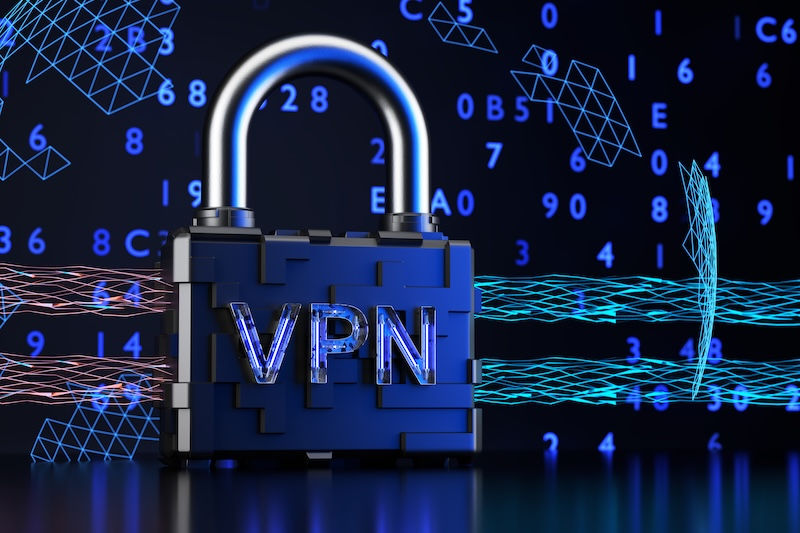
A Virtual Private Network, or VPN, creates an encrypted tunnel between your device and the internet. Even if someone intercepts your traffic on public Wi-Fi, they see scrambled data instead of readable information.
A VPN helps protect against:
Packet sniffing
Man-in-the-middle attacks
Data interception on unsecured networks
It does not make someone invisible online, but it dramatically reduces risk while traveling. For students and frequent travelers, a reputable VPN should become standard travel gear—right alongside chargers and headphones.
Other Smart Safety Precautions While Traveling

Using a VPN helps, but layered security matters even more.
Avoid logging into financial accounts on public Wi-Fi whenever possible. Use mobile data for banking, investments, and sensitive work accounts.
Turn off automatic Wi-Fi connections. Devices that automatically join known networks can connect to fake hotspots without warning.
Keep software and operating systems updated before traveling. Many attacks exploit known vulnerabilities that updates already fix.
Enable multi-factor authentication on email, cloud services, and financial platforms. Even stolen passwords become useless without the second factor.
Don’t share charging stations unless you use a charge-only USB cable or your own power adapter. Public USB ports can expose devices to “juice jacking” attacks.
Log out of accounts when finished instead of relying on saved sessions, especially on shared or borrowed devices.
Why Problems Often Appear After the Holidays

Many people assume nothing happened because everything worked fine during the trip. In reality, attackers often wait. They collect data quietly and sell it or use it later. That delay makes it harder to connect the breach to a specific network or location.
By the time warning signs appear—password resets, unusual logins, locked accounts—the holiday Wi-Fi session sits weeks in the past.
208Geek works with students, families, professionals, and small businesses throughout the Treasure Valley to secure devices before and after travel. That includes evaluating laptops, removing malware, tightening system settings, and recommending practical security tools that fit real-world use.

If a device starts behaving strangely after a trip, early inspection can prevent long-term damage. Security issues rarely resolve on their own, and waiting often makes recovery more expensive.
Holiday travel should create memories—not security headaches that surface months later. With the right precautions and professional support, public Wi-Fi doesn’t have to become a hidden risk.
About 208Geek Computer Repair & IT Services in Meridian, Idaho
Owner and Operator Jacob Van Vliet began building and repairing computer systems for friends and family out of his home in 2001. As demand for reliable computer repair grew, Jacob opened 208Geek in the fall of 2005 with a clear vision: deliver outstanding service and peace of mind to every customer. Today, Jacob and his team—including his wife Brittany—provide friendly, professional computer repair and IT services backed by a 100% satisfaction guarantee. The 208Geek team has earned the title of “Idaho’s Best” for IT and computer repair for six consecutive years. We would love the opportunity to work with you and show you why so many Treasure Valley residents trust 208Geek with their technology.


Comments