
Professional Computer Diagnostics

What Happens During Professional Computer Diagnostics? A Step-by-Step Look
When your computer freezes, runs slowly, or shuts down unexpectedly, finding the cause can be frustrating. Although you recognize the symptoms, identifying the actual problem often requires professional testing. That's where computer diagnostics can help you avoid unnecessary repairs and expensive guesswork. At 208Geek in Meridian, Idaho, we believe customers deserve to understand both the repair process and its cost.
Every computer problem is different, so diagnostic procedures vary depending on the symptoms and equipment involved. However, the following steps illustrate a typical approach our technicians may use to identify problems and recommend solutions.
Step 1: Understanding the Computer Problem with Professional Computer Diagnostics

Professional computer diagnostics often begin with a conversation about what you've experienced. After all, the person using the computer regularly may notice details that help narrow the investigation. For example, a computer that crashes during gaming may require different testing than one that freezes while opening email.
During intake, we may ask:
• When did the problem begin?
• Does it happen constantly or occasionally?
• Have you installed new programs or updates?
• Does the computer display error messages?
• Have you already attempted troubleshooting?
These answers help our technicians identify possible causes before beginning technical testing. Consequently, a few minutes discussing the symptoms can save considerable time later.
Step 2: Evaluating Hardware and Software

Once we understand the symptoms, our technicians determine which components or programs may require testing. Depending on the problem, we might examine memory, storage drives, cooling systems, or power supplies. However, hardware isn't always responsible for computer problems. Windows errors, outdated drivers, malware, and conflicting applications can produce similar symptoms.
For example, a computer that repeatedly freezes might have faulty memory or damaged operating system files. Therefore, testing helps us distinguish between physical failures and software problems. We also consider potential data risks, particularly when a storage drive shows signs of failure.

Step 3: Isolating the Actual Cause
One of the most valuable parts of professional computer diagnostics involves eliminating possible causes. Rather than replacing components based on assumptions, technicians investigate which conditions trigger the problem. This may involve testing individual components, reviewing system errors, or comparing performance under different conditions.
Consider a computer that shuts down whenever someone opens a demanding application. Although the software might appear responsible, testing could reveal an overheating problem. In that situation, reinstalling the application wouldn't resolve the underlying issue. By isolating the cause, we can recommend a more appropriate repair.
Step 4: Explaining the Findings and Repair Options

After identifying the likely problem, we explain our findings in language you can understand. Furthermore, we discuss whether repairing the computer makes financial sense. Sometimes, a relatively simple repair can extend its useful life, while extensive repairs on an aging system may not justify the investment.
Our goal is to help you understand:
The source of the problem.
Which repairs may be necessary.
Whether repairing or replacing the computer makes sense.
What the recommended service will cost.
Ultimately, we want customers to make informed decisions without feeling pressured into unnecessary repairs.

Step 5: Completing the Repair and Checking the Results
Once you approve the recommended work, our technicians address the identified problem. Depending on the situation, this might involve replacing hardware, correcting software errors, or restoring system functionality. However, the process doesn't necessarily end when the repair is completed.
We also perform appropriate follow-up checks to evaluate whether the original symptoms have been resolved. For instance, an overheating repair may involve monitoring operating temperatures afterward. Although verification procedures vary, these checks help us assess the effectiveness of the repair.
How Flat-Rate Computer Repair Pricing Works at 208Geek

Professional diagnostics require technical experience, specialized equipment, and time. However, customers shouldn't have to worry about an unpredictable labor bill while technicians investigate a problem. That's why 208Geek replaced traditional hourly billing for residential computer repairs with straightforward flat-rate pricing.
Our published shop labor rates include:
$75 diagnostic/non-repair fee for eligible standard computers when no repair is completed.
$150 standard shop repair rate for routine computer problems.
$200 advanced or gaming computer rate for more involved repairs.
$250 extensive repair or rebuild rate for major work.
If we complete a repair on the same computer, the applicable flat repair rate replaces the separate diagnostic fee. In addition, parts and materials are charged separately, while unusual services may require individual quotes. We explain the applicable pricing tier before proceeding, so customers can approve the work with greater confidence.
This approach also allows our technicians to concentrate on solving problems rather than watching the clock. Although some repairs take longer than others, customers know the applicable labor rate before work begins. Residential onsite visits also have a $150 standard rate, while business IT services follow a separate pricing structure.

Why In-Shop Computer Diagnostics Often Make Sense
Although we provide onsite services, bringing your computer into our Meridian shop often offers important advantages. Our technicians have access to specialized testing equipment, replacement components, and tools that aren't practical to transport to every appointment. Furthermore, complicated problems may require extended testing or repeated system checks.
Onsite service remains useful for Wi-Fi problems, printer connections, and other home technology concerns. However, when the computer itself is malfunctioning, an in-shop visit is often the most efficient starting point.
Seven Consecutive Years of Idaho's Best Computer Repair

Trust develops through consistent service, reliable recommendations, and straightforward communication. That's why we're especially proud that 208Geek received Idaho's Best recognition for Computer Repair again in 2026. This marks seven consecutive years of recognition in the category.
We appreciate the customers who continue to trust us with their technology and recommend our services. Moreover, every repair gives us another opportunity to earn that confidence through professional service and practical solutions.
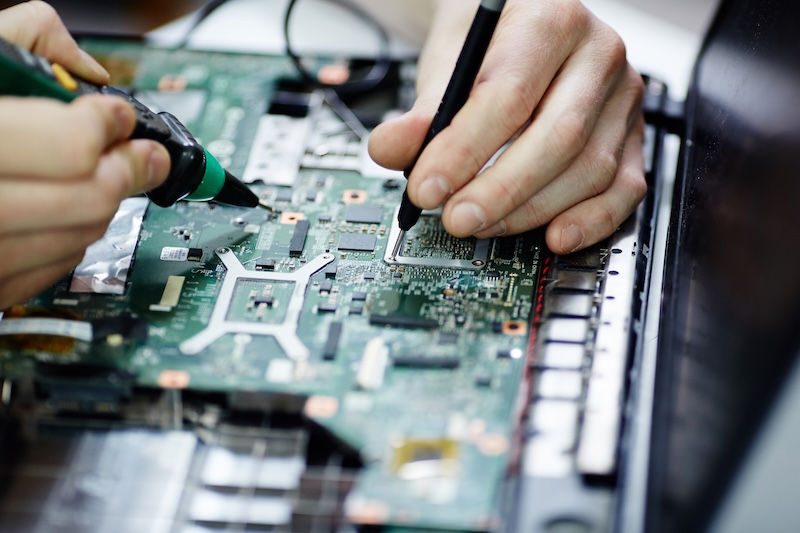
Professional Computer Diagnostics Without the Guesswork
When your computer starts acting unpredictably, don't assume you need an expensive replacement. Instead, professional computer diagnostics can help identify the problem and determine the most practical solution. With our flat-rate residential pricing, you'll also have a clearer understanding of the labor costs before approving repairs. And if your computer is at the end of its lifespan, we can help build you a custom machine to replace it.
Bring your computer to 208Geek at 3330 N. Meridian Road, Suite 150, in Meridian, Idaho. You can also call 208-345-3999 to discuss your concerns and determine the best service option.
About 208Geek in Meridian, Idaho
Owner/Operator Jacob Van Vliet began building and repairing computer systems for friends and family out of his home in 2001. The increasing demand for computer repair led to the opening of 208Geek in the Fall of 2005, with the vision of providing outstanding service and peace of mind. Jacob, along with his team, including his wife, Brittany, is committed to delivering unparalleled, friendly, and professional service with a 100% satisfaction guarantee. The 208Geek team has been named Idaho's Best for computer repair for seven consecutive years, including 2026. We would love the opportunity to work with you so we can show you why!


Comments