
How Passkeys Are Changing Online Security
- gotobowl82
- Dec 22, 2025
- 4 min read

The End of Passwords? How Passkeys Are Changing Digital Security
As the New Year approaches, many people focus on fresh starts — healthier habits, better routines, and stronger digital security. While most users still rely on traditional passwords, online security continues to evolve quickly.
A new authentication method called passkeys promises a simpler, safer way to protect accounts without memorizing complex strings of characters. Understanding how passkeys work — and whether they make sense for your devices and accounts — helps you start the year with smarter security choices.

Before proceeding, let’s make one thing clear. We do not recommend using passkeys. If a password is too easy for you to remember and use, it is likely a cinch for hackers to steal.
Why Passwords Continue to Fail

Passwords create ongoing problems for both individuals and businesses. People reuse them. They store them insecurely. They choose convenience over strength. Even strong passwords fall victim to phishing emails, fake login pages, and data breaches.
Attackers rarely crack passwords through brute force anymore. Instead, they steal them. A single compromised password often unlocks email, cloud storage, banking apps, and work systems within minutes. Multi-factor authentication improves security, but it still relies on passwords as the foundation — and that foundation remains vulnerable.
Passkeys aim to remove passwords entirely from the equation.
What Passkeys Actually Do

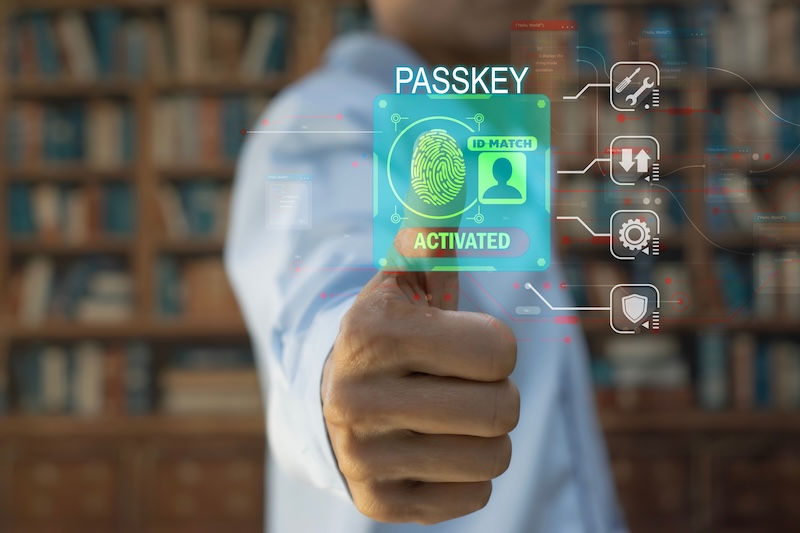
A passkey replaces a traditional password with cryptographic authentication tied directly to a device. When you create a passkey, your device generates a unique pair of cryptographic keys:
A private key, stored securely on your device
A public key, stored by the website or service
The private key never leaves your device. When you log in, the website sends a challenge that only your private key can answer. Your device confirms your identity using biometric authentication like Face ID, fingerprint scanning, or a local device PIN.
Because attackers never see a password — and never gain access to the private key — passkeys eliminate entire categories of common attacks.
Why Passkeys Stop Phishing Attacks

Phishing works because passwords travel from the user to a website. Passkeys eliminate that transfer entirely.
If someone sends a fake login page that looks legitimate, passkeys simply won’t work. Your device checks the website’s cryptographic identity before responding. If the site doesn’t match, authentication fails automatically. That protection happens quietly, without the user needing to recognize the threat.
This design alone marks a major improvement over passwords and even traditional two-factor systems.
Where Passkeys Work Right Now

Support for passkeys continues to expand, but adoption remains uneven. Major platforms already support them:
Apple (iOS, macOS, iCloud Keychain)
Google (Android, Chrome, Google accounts)
Microsoft (Windows, Microsoft accounts)
Many large services like PayPal, eBay, GitHub, and some banking platforms
Most passkeys sync securely across devices within the same ecosystem. For example, Apple users can log in on a Mac using a passkey created on an iPhone. Cross-platform support continues to improve, but it still requires careful setup.
Smaller websites and legacy systems often don’t support passkeys yet. Many accounts still require traditional passwords as a fallback.
What Users Should Know Before Switching

Passkeys offer strong security, but they aren’t plug-and-play for everyone. Before switching, users should consider several important factors.
Device access matters more than ever. If someone gains physical access to an unlocked device, they gain access to passkeys as well. Device security — strong PINs, biometrics, and automatic locking — becomes critical.
Account recovery works differently. Losing access to all devices without proper recovery options can lock users out of accounts. Users need updated recovery emails, trusted devices, and backup authentication methods in place.
Shared accounts require planning. Families or teams that share logins may need alternate access methods or password managers that support passkeys properly.
Older devices may not support passkeys at all. Outdated operating systems often block adoption entirely.
Passkeys vs Password Managers

Some people assume passkeys replace password managers. In reality, both tools can work together.
Password managers still play an important role for:
Legacy accounts without passkey support
Secure note storage
Shared credential management
Emergency access planning
Many modern password managers now support passkeys alongside traditional credentials. That hybrid approach allows gradual adoption without sacrificing access or control.
What Businesses Should Consider

For businesses, passkeys offer major security improvements — but only with proper implementation.
Employee devices need strong endpoint protection. Access policies must address device loss, employee turnover, and remote work scenarios. IT teams must understand how passkeys integrate with identity providers, cloud platforms, and compliance requirements.
Rolling out passkeys without planning can create confusion or access disruptions. Businesses benefit most when they pair passkeys with professional IT oversight.
Are Passwords Really Going Away?

Passwords won’t disappear overnight. Many systems still rely on them, and full adoption takes time. However, passkeys clearly represent the direction online security continues to move.
Over the next few years, users will see fewer password prompts, fewer phishing risks, and fewer account takeovers — especially when devices, operating systems, and services work together properly.
The transition period matters. Making informed decisions now prevents frustration and security gaps later.
Start the New Year With Smarter Security
As the calendar turns and people refresh priorities, online security deserves a place on that list. Passkeys offer a powerful new option, but they work best when implemented correctly and supported by secure devices and professional guidance.
If you’re unsure whether your devices, accounts, or business systems support passkeys — or how to transition safely — expert help makes all the difference.
About 208Geek, an IT & Computer Repair Company in Meridian, Idaho
Owner/Operator Jacob Van Vliet began building and repairing computer systems for friends and family out of his home in 2001. As demand for reliable computer repair grew, he opened 208Geek in the fall of 2005 with a clear vision: deliver outstanding service and genuine peace of mind. Jacob, along with his experienced team — including his wife, Brittany — remains committed to providing friendly, professional IT support backed by a 100% satisfaction guarantee. The 208Geek team has proudly earned the title of “Idaho’s Best” for IT and computer repair for six consecutive years. Reach out today and discover why individuals and businesses across the Treasure Valley trust 208Geek with their technology.


Comments