
Free Wi-Fi Problems
Why “Free Wi-Fi” Creates Bigger Problems Than Most People Realize

208Geek BlogWhy “Free Wi-Fi” Creates Bigger Problems Than Most People Realize
Free Wi-Fi has become so common that connecting to it barely feels like a decision anymore. You grab coffee in Meridian, wait for a flight at the Boise Airport, check into a hotel, or pull into an RV park for the weekend, and your phone or laptop immediately starts looking for a network. A few taps later, you are online.
That convenience comes with a tradeoff. Public Wi-Fi networks can expose users to security risks that they rarely encounter on a properly secured home or business network. Even more concerning, cybercriminals do not necessarily need to compromise the legitimate network. Sometimes, they simply create a convincing fake one and wait for people to connect.
As fall travel ramps up throughout Idaho and the rest of the country, understanding those risks can help you protect your devices, passwords, financial information, and other personal data.
Why Is Public Wi-Fi Riskier Than Your Home Network?

At home, you generally control your router, password, devices, and security settings. Businesses also typically protect their internal networks with security tools and access controls.
Public Wi-Fi operates differently. Hotels, airports, coffee shops, libraries, RV parks, restaurants, and other businesses often provide internet access to hundreds or even thousands of people they do not know.
Although many public networks use modern security measures, you usually have no way to know how well a particular network has been configured or maintained. In addition, you cannot control who else has connected to it. That uncertainty creates opportunities for cybercriminals.
For example, someone could attempt to intercept poorly protected network traffic, exploit vulnerabilities on connected devices, or trick users into joining a fraudulent network. Therefore, the safest approach involves treating any public Wi-Fi network as potentially untrusted.

Fake Hotspots Can Look Surprisingly Legitimate
One of the easiest public Wi-Fi scams does not require a hacker to break into the coffee shop or hotel's actual network.Instead, the criminal creates a fake hotspot with a believable name.
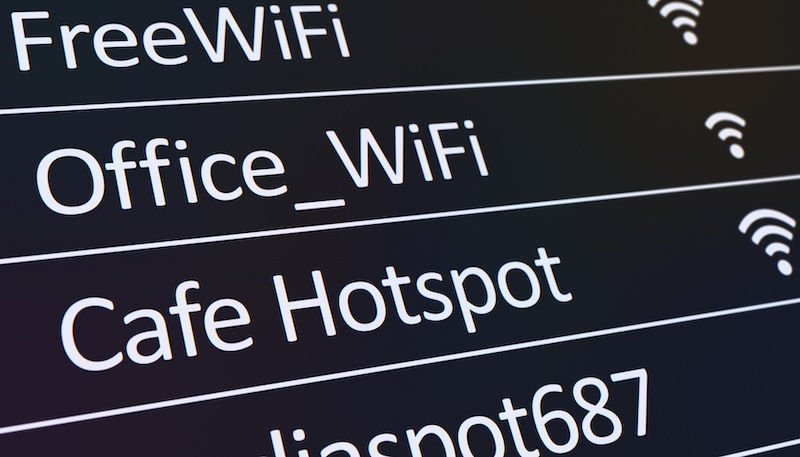
Imagine sitting at a Boise coffee shop called Mountain Coffee. Your phone shows several available networks:
Mountain Coffee Guest
MountainCoffee_Free
Mountain Coffee WiFi
Free_Coffee_WiFi
Which one belongs to the business? Unless you ask an employee, you may have no idea. Cybercriminals can create what security professionals often call an "evil twin" hotspot. The fraudulent network imitates the legitimate network closely enough that people connect without thinking twice.
Once someone connects, the attacker may attempt to monitor activity, redirect the user to fraudulent login pages, capture credentials, or encourage the download of malicious software.
The simplest defense can also be one of the most effective: ask an employee for the exact Wi-Fi network name before connecting.
Airports and Hotels Create Ideal Conditions for Wi-Fi Scams

Travelers make especially attractive targets because they frequently need internet access and often connect quickly. At an airport, someone may need to download a boarding pass, check email, change a reservation, or finish some work before a flight. At a hotel, guests routinely connect laptops, tablets, and phones within minutes of checking in. That sense of urgency works in a criminal's favor.
A network named "Boise Airport Free WiFi" or "Hotel Guest WiFi" may look perfectly reasonable. However, a convincing name does not prove that the airport or hotel actually operates it. Additionally, travelers often carry devices containing valuable information. A business laptop may provide access to company email, cloud storage, customer records, accounting systems, or other sensitive resources.
Connecting to the wrong network can create problems that extend far beyond one person's device.

Don't Forget About RV Parks and Campgrounds
Idaho is perfect for vacations centered around RVs, campers, and trailers. While the scenery may feel far removed from cybersecurity concerns, campground and RV park Wi-Fi deserves the same caution as any other public network.
Shared networks may serve dozens or hundreds of campsites, and signal boosters can extend coverage throughout a large property. Travelers also tend to use campground Wi-Fi for everyday activities such as checking email, streaming entertainment, paying bills, and working remotely.
Before connecting, verify the network name and password with the campground or RV park. Better yet, use your phone's cellular connection or personal hotspot for sensitive transactions whenever you have a reliable signal.
Why You Should Avoid Online Banking on Public Wi-Fi

Modern banking websites and apps use encryption and other security protections. Nevertheless, public Wi-Fi adds an unnecessary layer of risk when you are accessing particularly sensitive information.
If you need to check your bank account, transfer money, enter credit card information, access investment accounts, or handle other financial matters while traveling, consider switching off Wi-Fi and using your cellular connection instead. The same caution applies to other accounts containing valuable personal or business information.
Whenever possible, avoid using an unknown public network for:
Online banking and financial transactions
Credit card or payment accounts
Business accounting software
Sensitive company systems
Medical or insurance portals
Tax or government accounts
Password changes or account recovery
Waiting until you reach a trusted, private connection can prevent an unnecessary security headache.

Why a VPN Helps on Public Wi-Fi
A Virtual Private Network, or VPN, adds another layer of protection by creating an encrypted connection between your device and the VPN service. Think of public Wi-Fi as a crowded room. Without additional protection, you are relying heavily on the security of the network and the websites or services you use. A reputable VPN creates an encrypted tunnel for your internet traffic, making it much more difficult for someone on the local network to inspect that traffic.
However, a VPN does not make you invincible. It will not necessarily protect you if you voluntarily enter your password into a fake website, download a malicious attachment, approve a fraudulent multifactor authentication request, or ignore a browser security warning.
VPN protection should complement smart online habits rather than replace them.
Your Device May Remember More Networks Than You Realize
Another potential problem involves devices that automatically reconnect to previously used Wi-Fi networks. Phones, tablets, and laptops often remember networks for convenience. That feature saves time at home or work, but it can become problematic when traveling.
Periodically review your saved Wi-Fi networks and remove ones you no longer use. You can also disable automatic connection settings when appropriate. Doing so gives you greater control over when and where your device joins a network.
In addition, keep your operating system, browser, security software, and applications updated. Security updates frequently address vulnerabilities that attackers could otherwise exploit.

A Few Habits Can Make Travel Safer
You do not have to swear off hotel or coffee shop Wi-Fi forever. Instead, develop a few basic habits before connecting.When using public Wi-Fi:
Confirm the official network name with the business.
Avoid networks that appear unexpectedly or use suspicious variations of legitimate names.
Use a reputable VPN when possible.
Avoid banking and other highly sensitive transactions.
Use cellular data or a personal hotspot when you need greater security.
Enable multifactor authentication on important accounts.
Keep devices and security software updated.
Turn off automatic Wi-Fi connections when you do not need them.
Forget public networks after you finish using them.
Never ignore browser certificate or security warnings.
These precautions take very little time, but they can significantly reduce your exposure while traveling.
Public Wi-Fi Security Matters at Home and at Work
Unfortunately, public Wi-Fi risks do not disappear when vacation ends. Employees who work remotely from Boise and Meridian coffee shops, hotels, airports, or other public spaces can unintentionally expose business information if their devices lack appropriate protection.
Similarly, a family laptop used for online banking, shopping, email, and personal documents deserves more protection than traditional antivirus software alone may provide.
Modern cybersecurity requires multiple layers. Secure Wi-Fi practices, strong passwords, multi-factor authentication, software updates, endpoint protection, backups, and informed users all contribute to stronger security.
At 208Geek, we help Treasure Valley homes and businesses protect their computers, networks, and data with practical solutions designed for today's threats. From Wi-Fi and computer support to advanced security solutions such as Endpoint Detection and Response (EDR), our team helps customers understand where their vulnerabilities lie and what they can do about them.
Free Wi-Fi may save a little cellular data while you sip coffee or wait for a flight. Just remember that "free" does not necessarily mean secure. Before your next summer trip, take a few minutes to secure your devices and think twice before connecting to an unfamiliar network.
About 208Geek in Meridian, Idaho
Owner/Operator Jacob Van Vliet began building and repairing computer systems for friends and family out of his home in 2001. The increasing demand for computer repair led to the opening of 208Geek in the Fall of 2005, with the vision of providing outstanding service and peace of mind. Jacob, along with his team, including his wife, Brittany, is committed to delivering unparalleled, friendly, and professional service with a 100% satisfaction guarantee. The 208Geek team has been named “Idaho’s Best” for computer repair for the past seven consecutive years. We would love the opportunity to work with you so we can show you why we continue to earn that distinction!


Comments